Most “personalised” children's books swap a name into a template story. MakeMyStory does something different — and the difference is the whole point.
We're going to explain exactly how it works: the technology, the process, the illustrations, and what you can realistically expect. No jargon. No marketing gloss.
The spectrum of personalisation
Before we get into the mechanics, it helps to understand where MakeMyStory sits on the personalisation spectrum:
- Level 1 — Name only: “[Child's name] went to the forest today.” Generic illustrations, template story. The child's name appears in the text. That's it.
- Level 2 — Name + traits: Story written around the child's name, age, and a few stated interests. Still generic illustrations. The narrative feels a little more personal, but the character looks nothing like them.
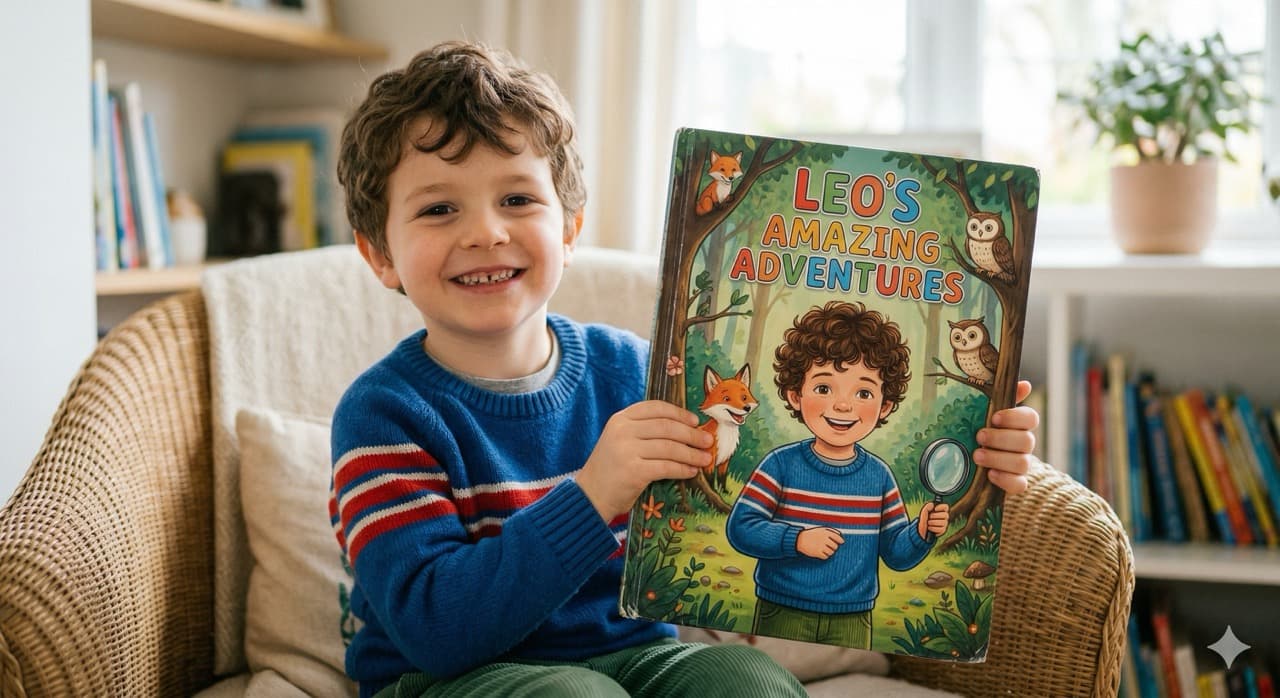
- Level 3 — Photo-accurate illustrated character: The child's actual face, features, and distinctive traits appear throughout the illustrations. Not as a photo collage — as a real illustrated character who looks unmistakably like them.
MakeMyStory is Level 3.
The developmental psychology research behind why Level 3 matters — and why it produces a meaningfully different reading experience — is covered in depth on our Science page.
How it works — step by step
Step 1: Upload a photo
One clear, recent photo of your child is all you need. No professional shoot. No special equipment. Most smartphone photos taken in natural light work perfectly.
Our system analyses the photo to identify your child's distinctive features: face shape, hair colour and style, skin tone, eye shape, and any particularly individual traits. This analysis feeds directly into how every illustration is generated.
Step 2: Choose your story settings
You'll choose:
- Theme — from space adventure to enchanted forest, bedtime journey to ocean kingdom. There are dozens of options, and you can describe a custom theme if nothing fits.
- Age tier — stories are calibrated to three age groups (1–3, 4–5, 6–8), each with appropriate language, complexity, and emotional beats.
- Illustration style — choose from eight distinct styles including soft watercolour, rich gouache, clean line art, and 3D-render. Each produces a very different look and feel.
Step 3: Review the story outline
Before you confirm, you'll see the story outline: how the story unfolds, page by page. It is the outline, not the finished text, and you can ask for up to three changes at no cost before approving.
This is one of the things we're most proud of: you know where the story is heading before you commit. The finished pages and the written story are made once you confirm.
Step 4: Generate the book
Once you approve the outline, the illustrated book is created — after processing. Every one of the 12 pages features your child as a consistent illustrated character: the same face, the same hair, different poses, different expressions, different scenes.
This consistency is technically difficult to achieve — maintaining a character's recognisable features across very different illustrations and situations is one of the hardest problems in AI image generation. It's the problem we've spent the most time solving. You can read more about our approach on the Science page.
Step 5: Read, share, and fine-tune
The finished book is available to read immediately online — with optional read-aloud narration. You can share it with family members via link, download a PDF, or order a printed hardcover.
If any page doesn't look quite right — if the character's hair looks off, or an expression isn't quite them — you can request a touch-up on individual pages. Most books are exactly what parents hoped for without any touch-ups, but the option is there.
What the illustrations actually look like
These are not photorealistic renders. They're professional-quality illustrations — the kind you'd find in a high-quality children's picture book. Depending on the style you choose, they might be soft and painterly, or clean and graphic, or warm and textured. They look like illustrations, which is both their limitation and their greatest strength.
Photographs don't look like picture books. Illustrations do. And there's an emotional warmth to illustration that photographs don't replicate in a storybook context. The art styles are also timeless in a way photographs aren't — the book won't look dated in five years.
Across all 12 pages, the character maintains consistent features: the same hair colour, the same face shape, the same skin tone, the same general spirit. The illustration changes — different poses, different expressions, different lighting and scenes — but the character is unmistakably the same child throughout.
Frequently asked questions
Will it actually look like my child?
The illustrated character will reflect your child's distinctive features: hair colour and style, face shape, skin tone, eye shape. It won't look like a photograph, but it will be unmistakably them — parents consistently tell us their child recognises themselves immediately.
The quality improves with photo quality. A clear, well-lit, unobstructed face photo produces the best results. The photo check asks for a different photo if it cannot find one clear face.
What photo should I use?
A recent photo with your child's face clearly visible, in natural light. Outdoor or window light is ideal. Most recent smartphone photos are perfectly fine. Avoid: strong direct flash (creates harsh shadows), sunglasses, face partially covered by hair or hands, or photos where the face is very small in the frame.
Can I include a sibling or a friend?
Yes — you can add up to three more characters, either from a photo or a text description. Secondary characters appear throughout the story alongside the main character. Birthday siblings, best friends, beloved pets (as a text-described character) — they're all possible.
Can I preview before paying?
Partly. Before you confirm you'll see the story outline and meet your child in your chosen art style, and you can ask for up to three changes. The finished illustrated pages are made once you confirm.
Why illustrated rather than photographic?
We tried the photo-collage approach early in development. It doesn't work — photos inserted into illustrated backgrounds look jarring, like a face cut out of a magazine. It's visually uncomfortable in a way that breaks the story's spell.
Illustration creates consistency, warmth, and the visual language of picture books. When everything is illustrated — the character, the world, the supporting cast — it coheres in a way that photo-illustration hybrids don't.
There's also something about illustration that feels like a story, and something about photography that feels like a record. A storybook should feel like a story.
“When your child opens the book and says ‘that's ME!’ — that's the moment we made MakeMyStory for.”
Ready to see how it works with your child? See how a photo becomes the hero, or start with your child's photo and see where the story is heading before you confirm.